
UpWiz
  • Home
  • Features
  • Pricing
  • FAQ
UpWiz.

Update with confidence.

© 2026 UpWiz

Start Trial
Start Trial Pricing
Start Trial

Getting Started

2
  • What Is UpWiz
  • Install and Activate

Analyzing Updates

5
  • The Details Drawer
  • Changelog Viewer
  • Vulnerability Detection
  • AI Risk Analysis
  • Understanding AI Recommendations

Pro Features

6
  • What Is Included in Pro
  • Activating UpWiz Pro
  • Smart Auto-Updates
  • Backup and Rollback
  • Enhanced AI Analysis (Pro)
  • Safety Settings: Release Delay, Health Check, and Auto-Rollback

Settings

8
  • Settings Overview
  • Notifications and Email Settings
  • Auto-Update Settings
  • Exclusions: Hiding and Excluding Plugins
  • Update Schedule
  • Backup Settings
  • Site Health Tab
  • Auto-Update Log

The Dashboard

6
  • Dashboard Interface Overview
  • Update Severity Labels
  • Filtering and Searching Updates
  • Hiding Plugins from the Dashboard
  • Refresh Button and AI Usage Badge
  • Plugin Cards and Status Icons

Troubleshooting

5
  • Connection and API Issues
  • AI Analysis Errors
  • Update Failures
  • License Validation Issues
  • Site Health Check Failures

Updating Plugins

3
  • One-Click Updates
  • The Sequential Update Queue
  • Premium Plugins and Vendor Links

FAQ

6
  • Privacy Overview: What Data UpWiz Collects
  • Vulnerability Data Sources
  • API Key and License Key Safety
  • Pre-Purchase Questions
  • Hosting and Compatibility Questions
  • Billing and Subscription Questions

License and Plans

5
  • License Options: Free, Trial, and Pro
  • Connecting a License Key
  • Starting a Free Trial
  • License and Plan Tab
  • Plan Comparison
View Categories
  • Home
  • UpWiz Docs
  • FAQ
  • API Key and License Key Safety

API Key and License Key Safety

< 1 min read

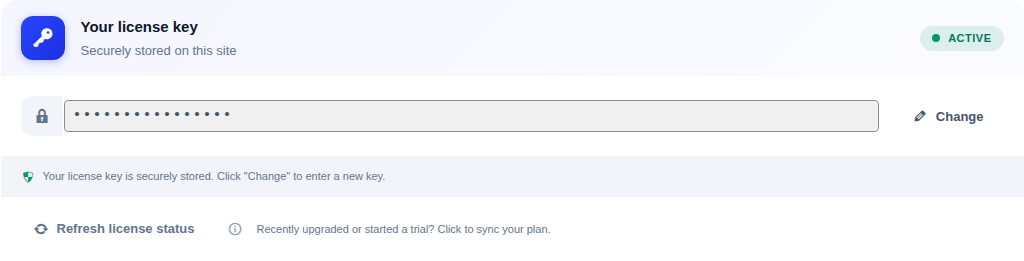
License key card in UpWiz settings showing the secured key field

Your UpWiz key is used to confirm your plan and unlock licensed features on the site.

  • The key is stored on your WordPress site so UpWiz can validate and refresh your plan status.
  • It is masked in the UpWiz settings UI and is not shown on public pages.
  • It is only sent when UpWiz needs it for licensed features.

If you believe a key has been exposed, manage the site activation from My Account and contact support. Good WordPress admin security and HTTPS are still important on your side.

What are your Feelings

  • Happy
  • Normal
  • Sad

Share This Article :

  • Facebook
  • X
  • LinkedIn
  • Pinterest
Vulnerability Data SourcesPre-Purchase Questions
UpWiz

Safer WordPress plugin updates, with changelog review, vulnerability checks, AI summaries when available, and Pro rollback tools.

Product

  • Features
  • Pricing
  • FAQ
  • Start Trial

Resources

  • Documentation
  • Support

© 2026 UpWiz. All rights reserved.

Privacy Policy · Terms of Service